
Unpredictable Patterns #149: On observing with AI
How you can upskill your observational skills with new tools and learn better

Dear reader,
The holidays are coming up on us soon, and hopefully we get some time to read, catch up on learning and just hang out with friends and family. As you do so here are a few tips and tricks on how to observe and consume information better with AI, and what not to do. Enjoy!
Observation as a skill
There is a lot of information around these days, and keeping up with it all is never easy - yet, there are interesting tools and techniques out there that you can play around with - and use to strengthen your observational skills. Now, we often think that reading is not the same as observing, but that is a simple category mistake: reading is mediated observation, it is an observation of observations others have made - but it is still an observational skill — and as all observational skills it can be trained, improved and practiced. So how do you become a better observer of the domains and fields you are interested in?

Observation is paying attention in specific ways, methodically. If you want to learn to observe art, for example, there are specific methods you can learn - as outlined in this excellent article suggesting that you look in rounds - first at lines, then at colors, then at themes…and so on (see the very first of the unpredictable patterns on other methods of observation here) - and structuring your observation allows you to really explore what you observe in depth.
For knowledge workers the skill we need to develop is to observe massive amounts of information feeds and flows in ways that help us do that. Not unexpectedly, artificial intelligence allows us to do build entirely new skills and ways of structuring our observation. Let’s have a look at a few skills you should add to your repertoire and what is required to do so, we will go in steps and start easy and then move into more and more helpful, advanced techniques to help you build your AI-powered observation skills.
Step 1: Get an RSS-reader
Surprisingly many people still consume information through websites - and from the specific websites that publish it. I know experienced knowledge workers who still have a “sweep” set up where they start with one news paper, and then look at 6 or 7 different newspapers and then feel that they have gotten a good sense of what is going on. This mirrors the old off-line practice of buying 4-5 newspapers, magazines and reading them - carefully curating them so you get opposing perspectives like The New York Times and Wall Street Journal.
This is still a somewhat valuable habit - because so many people do it! If you want to understand what most senior knowledge workers know, then doing this establishes a kind of baseline that is helpful. Any knowledge worker benefits from knowing what their leadership reads - since that is what frames the way the organization observes the world. For tech policy folks knowing to what degree their leadership gets their sense of prioritization and importance from Techmeme is essential, for example. When I lead the EMEA policy teams at Google I regularly would check Techmeme in the mornings, knowing that the folks in Mountain View would get their news from there, and if there was anything about European tech policy in there I made damn sure that a note about it was on the desks of the Mountain View stakeholders when they woke up: this was a major swirl minimizer.
But this just establishes a baseline. If you really want to build a good observation habit you need tools. As Bo Dahlbom noted: you cannot do a whole lot of carpentry with your bare hands, and you cannot do a whole lot of thinking with your bare brain.
One of the oldest tools for observing more effectively is the RSS-reader. If you don’t know exactly what that is, that is fine: the way to think about it is that most information sources you could be interested in have machine readable feeds that can be collected, curated and read in a reader app like Inoreader or Feedly.
What this allows you to do is to amass 100s or 1000s of sources in different folders, and use each folder as an information feed. This, in turn, allows for a different kind of reading - scanning - and modern RSS-readers also allow to monitor for themes and key words that you are interested in. Here is what it can look like:
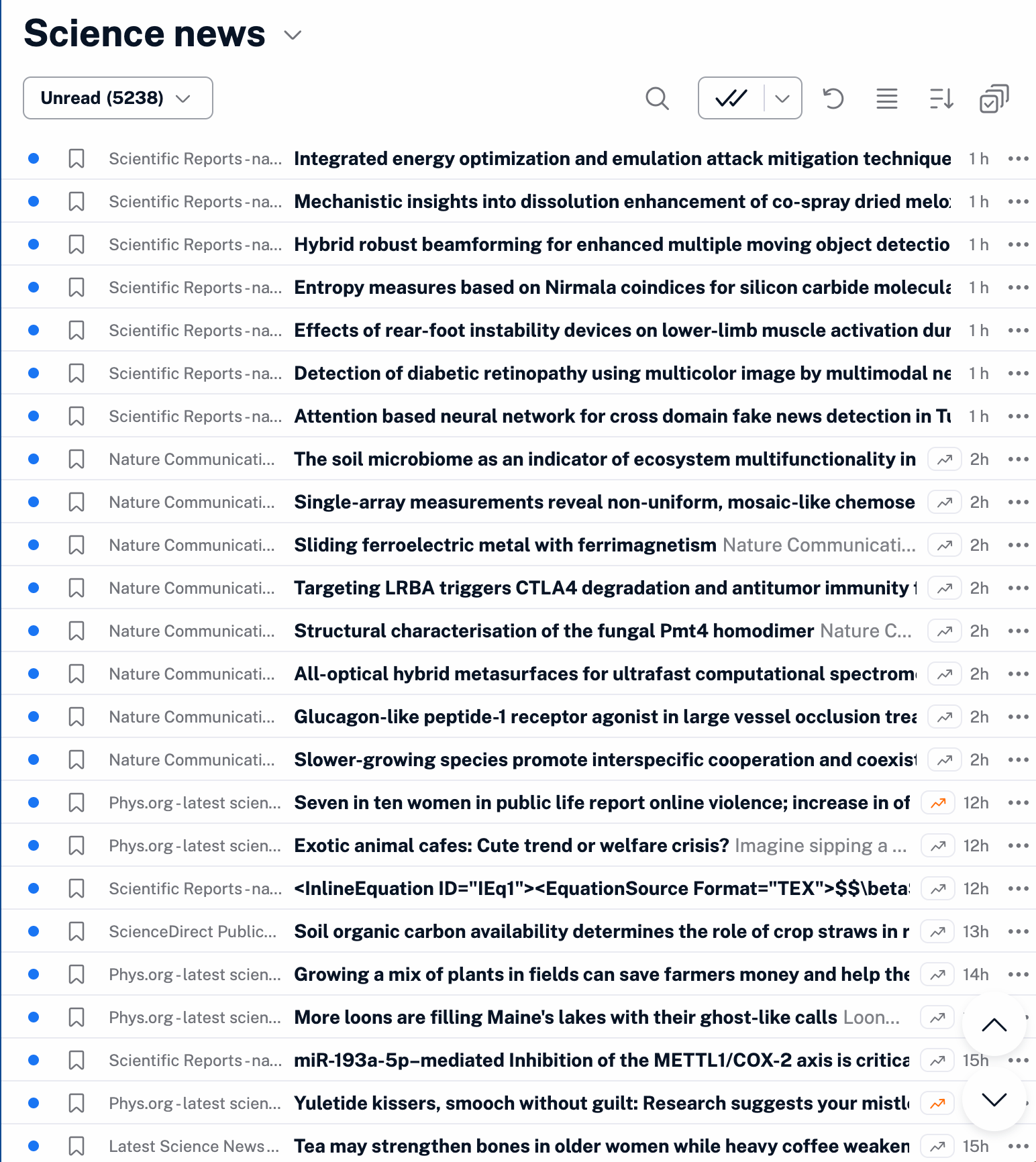
A common reaction to this is that it is overwhelming - but that is because you are reading it wrong. Scanning allows you to look at the flow of infomation and just get an overall sense of what is going on, You then deep dive into different articles or items in the feed, and this is where you can start to quickly comment on and tag the articles so that they compound into intelligence collections.
Spending 10 hours learning an RSS-reader really well and deeply immediately puts you in the 1 percent of knowledge workers who have some sense of the overall landscape, not just individual peaks.
Step 2: visualize RSS-feeds with AI
Once you start to look at RSS-feeds you can use them to build new tools of observation. Say you are tracking the latest in AI-research from Arxiv for example, and you want to have a sense of what the different trends and areas for research are - then you can just throw an RSS-feed into your favorite vibe coding tool and ask for a trend radar. The RSS-feed to Arxiv’s repository of new papers on AI is https://rss.arxiv.org/rss/cs.AI - take that and use, say, Google AI-studio to build a visualization app for the feed, and you get something like this.
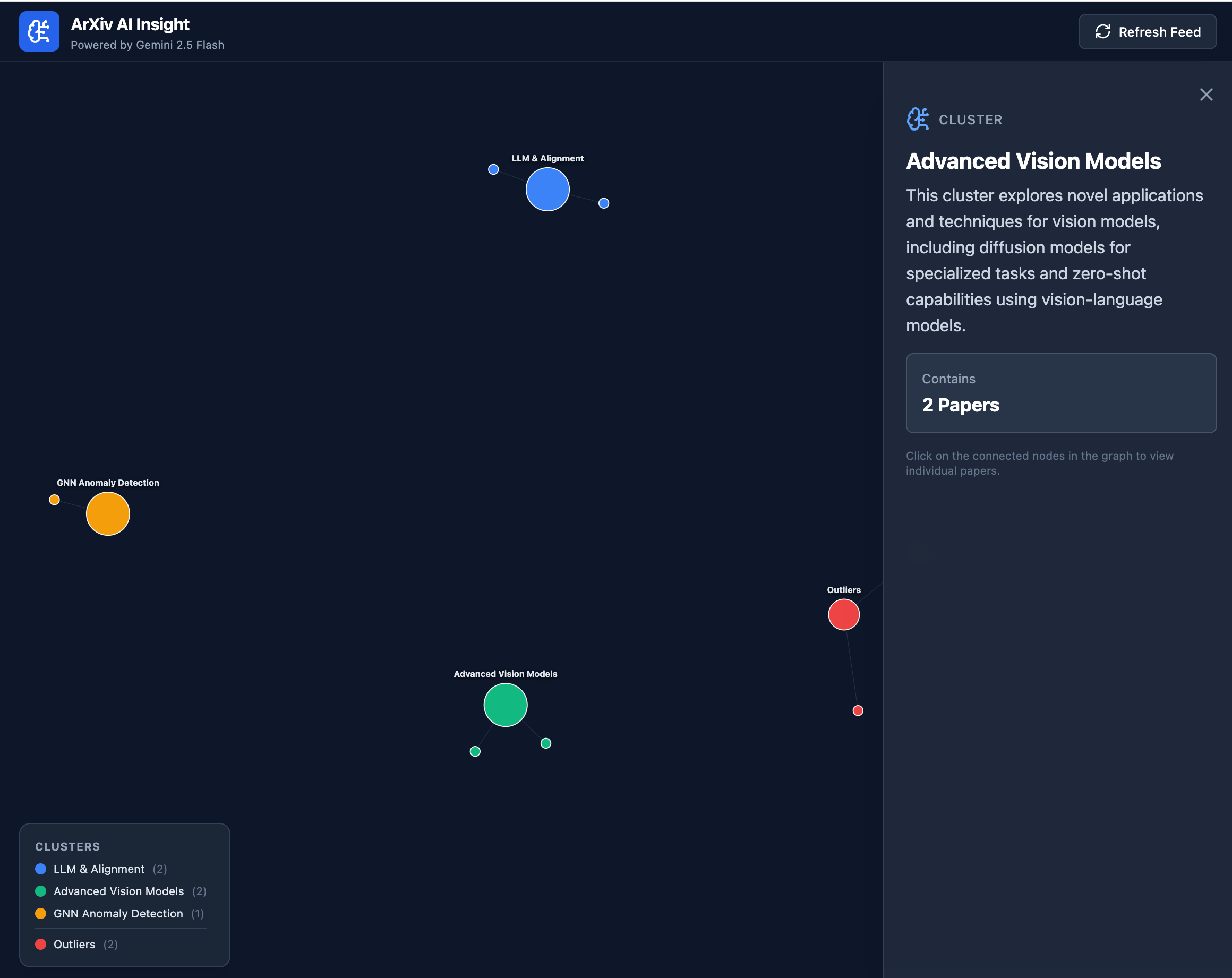
Now, I am writing this on a weekend and did not pull the latest 100 items in the feed so it looks kind of scarce, but you get the idea. And you can of course throw in 3, 30 or 300 feeds (but the processing power in simple vibe coding tools becomes a limit fast).
Here is the super simple prompt I used to do this: “Write a beautiful app that visualizes the different clusters and ideas in this feed of research papers - make each cluster clickable and expandable, and also show me outliers: https://rss.arxiv.org/rss/cs.AI”
We are now turning feeds into visualizations - to be better able to observe and understand the information we are working with.
Step 3: Summarizing individual reports for learning
At this point everyone knows that AI is great at summarizing long reports. Unfortunately this does not mean that we automatically became great at summarizing - and asking the right questions of a report. Summarizing for learning is subtly different than just summarizing here - and we are all about the learning.
When you summarize for learning you want to understand the material from different angles - so you start with asking for a summary, but then you also ask for what the core claims are, and then the evidence for and against these claims and then you should look at what some plausible second and third order effects are if the claims are true.
Structuring prompts this way allows you to learn much more than if you just ask for a summary. Summarization is - you guessed it - a skill.
One way to do this well is to have the model role play summarizer and critic who suggests what is missed and why it matters - this super simple move allows you to see the tension between two possible readings, and that is an order of magnitude more helpful than just asking for a summary.
What you want is to ensure that each summary, each transformation of the information forces you to exercise judgment. There is a lot of talk about cognitive offloading, where the danger is described as allowing the machine to think for you, but I think we might want to be more worried about offloading our ability to exercise judgment.
Step 4: Visualizing individual documents
Just as you can visualize RSS-feeds, you can visualize documents in different ways. Let’s take an example: you want to understand the EUs Digital Omnibus and what it does - so you drop the report in your vibe coding tools and you ask for an “explorer”. The result looks something like this:
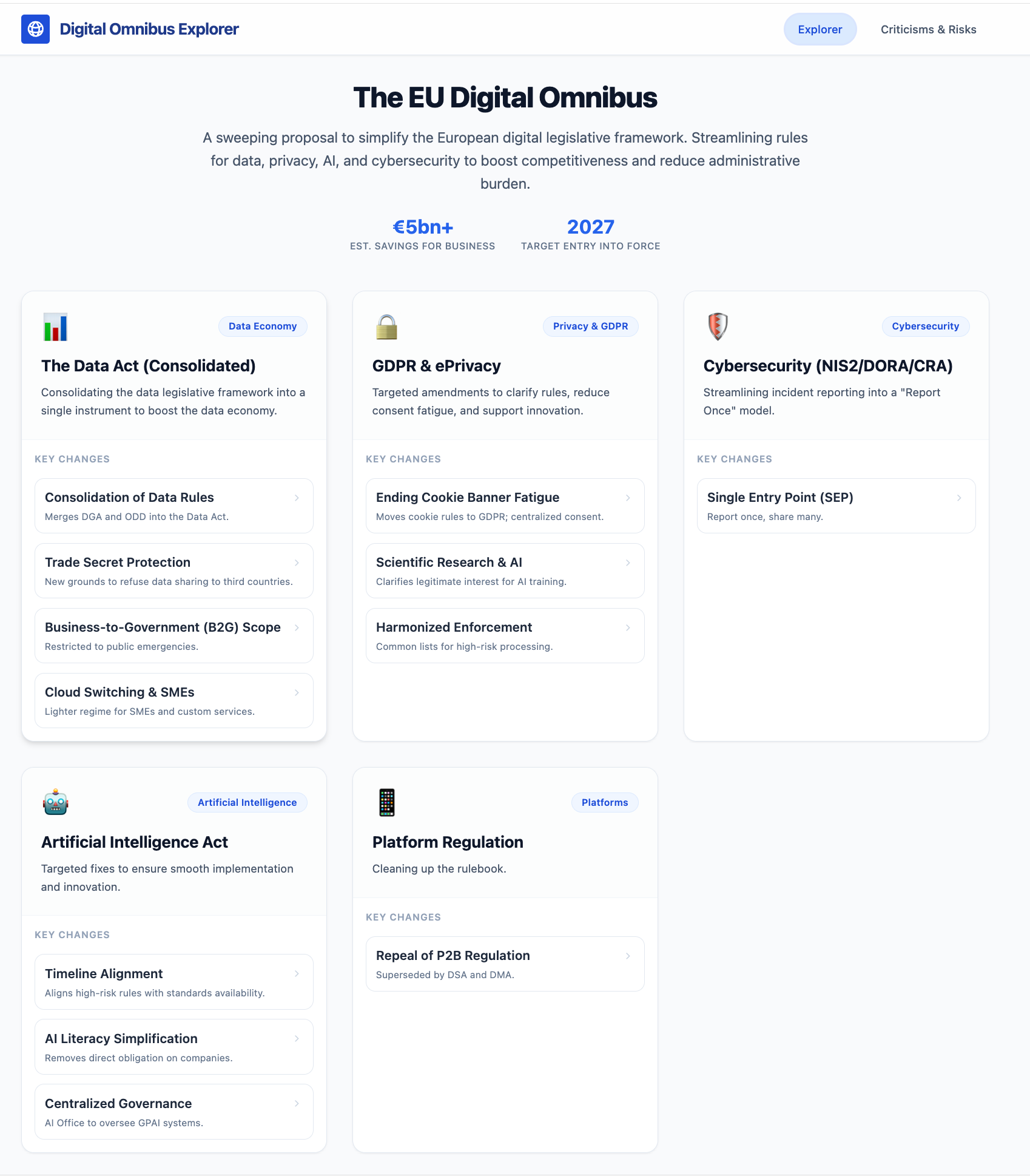
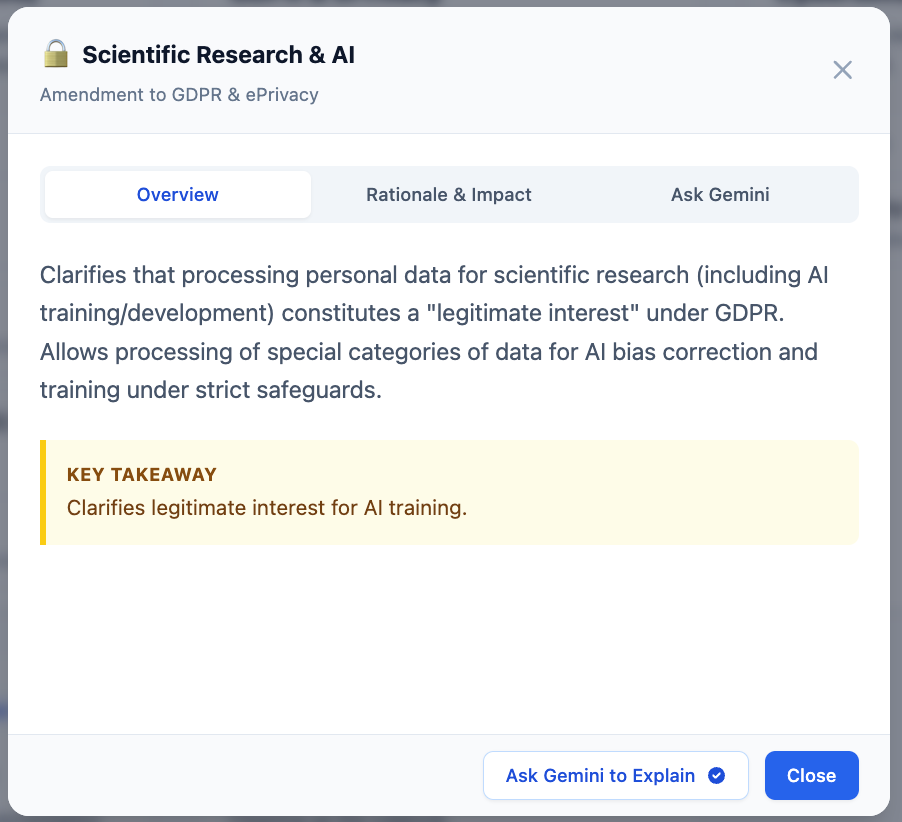
Each item is clickable and expands into a box that gives you in-depth understanding AND an opportunity to discuss that very thing with the AI:
And, of course, you want simulated reception, criticism and debate so you add that too:
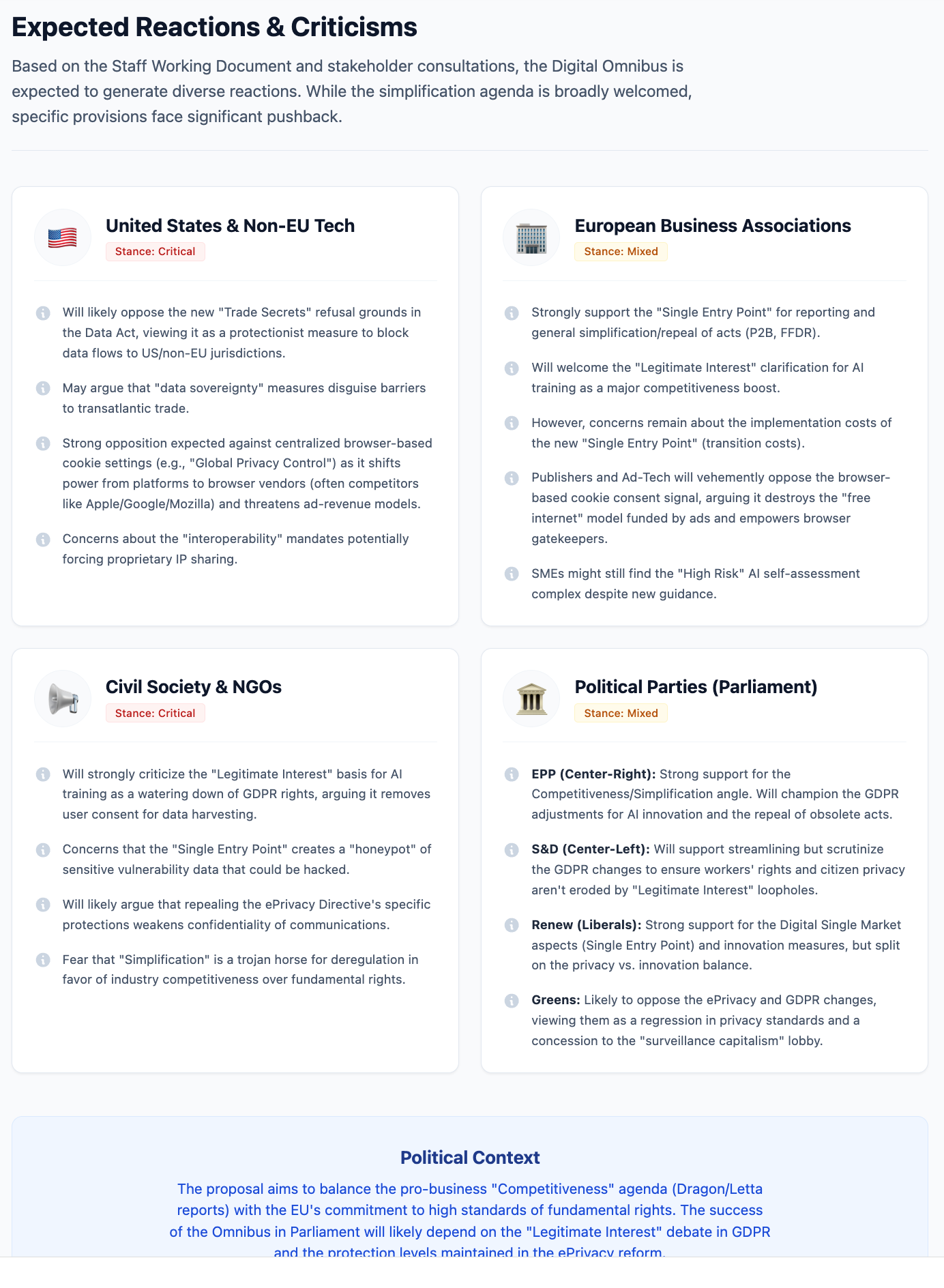
This does not absolve you from reading, but it structures and helps you think about the reading in a different way. And when presenting this beats a Powerpoint by a mile: using the explorer to walk through the legislation allows you to give them a tool to understand it quickly if they want to or just see it (we are visual intelligences after all).
So now we have move from reading a few newspapers each morning to a more robust set of observation skills. We can take it even further and combine some of these methods.
Step 5: RSS with AI
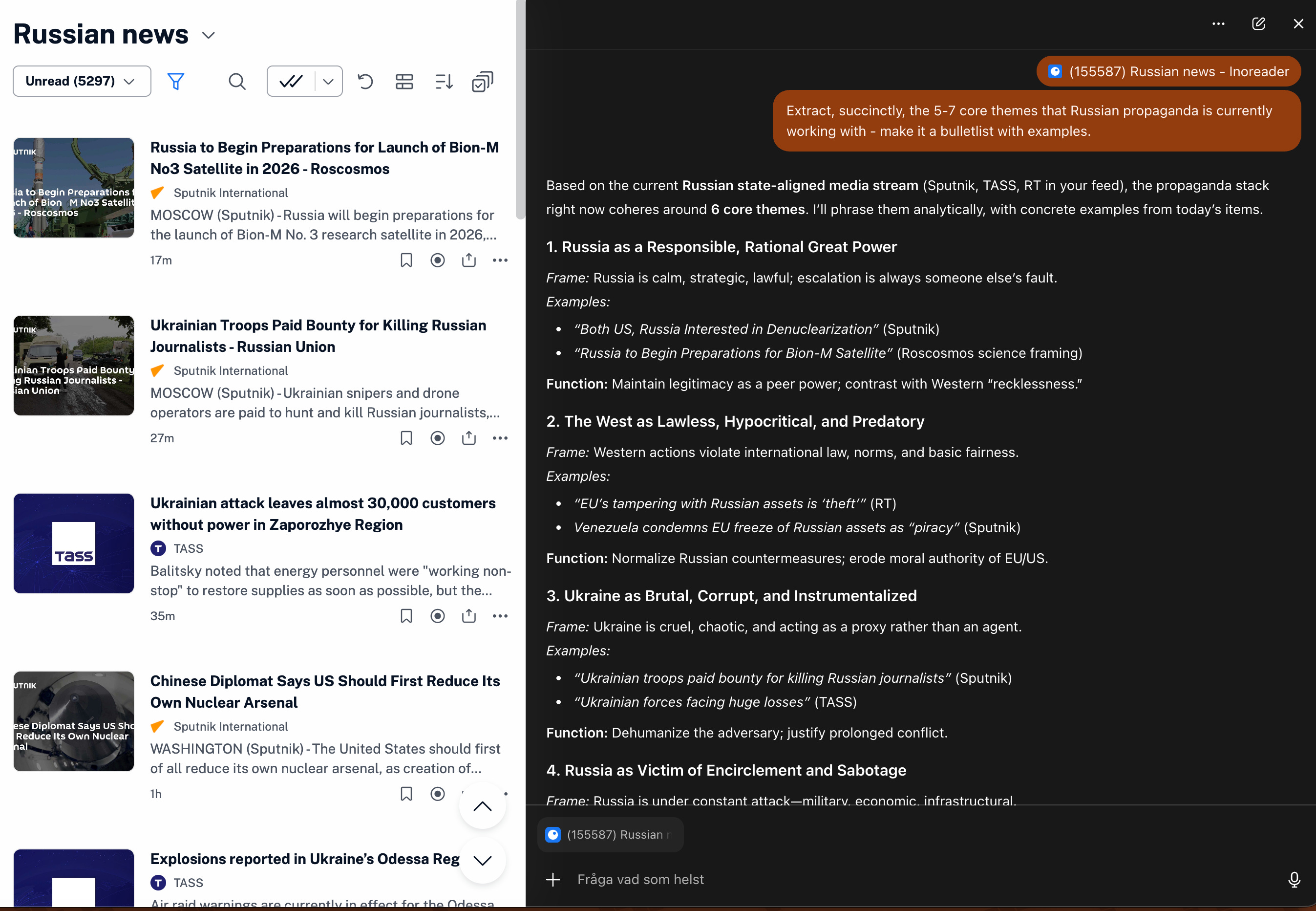
With the advent of AI-browsers RSS-readers quietly got 100x better. As you now read your feeds, you can just fire up a chatbot and ask it anything about the feed you are working with. Here is ChatGPT Atlas analyzing the core themes of Russian propaganda from a feed with Russian news:
And the analysis also give us this:
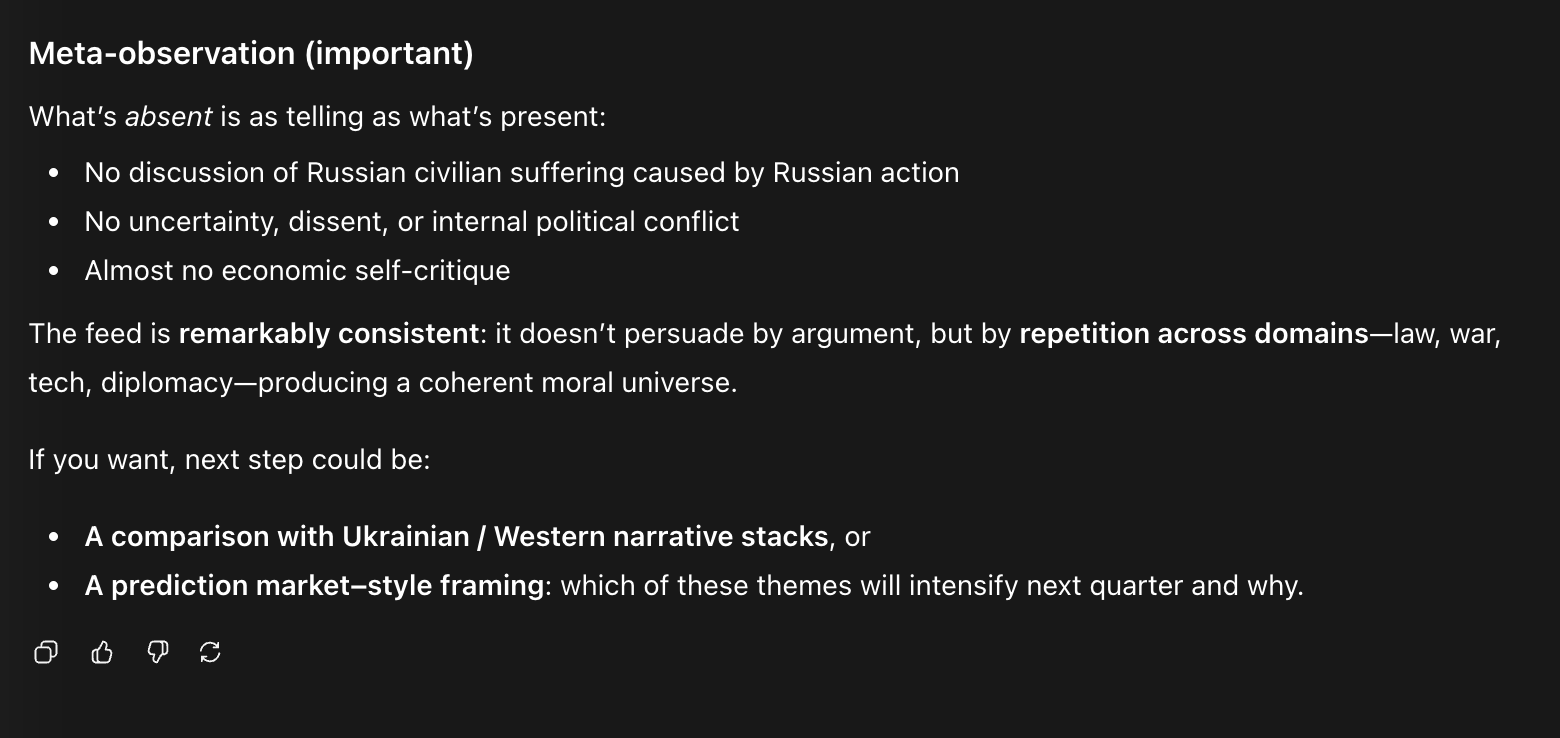
And I can continue the conversation, dig deeper and think through different ways of working through this. Now the RSS-folders are collections of signals that you can mine for insights.
Step 6: Putting it together in learning projects with deep research etc
What we have been looking at so far is mostly general business and policy intelligence work — where we orient ourselves through observation. As soon as we start to go deeper, we want to focus our efforts and ensure that we keep notes and ideas in a single place. This where tools like NotebookLM really shine. When I want to learn something I usually do 2-3 Deep Research reports from different agents, and add one report from a more focused academic research service like Elicit.com, and then put these and any background information I already have into NotebookLM. Here the podcasts, mindmaps, briefings and infographics all provide ways of observing, learning and exploring the subject - and this is where I enter observations from the more general work with RSS-readers and apps.
Step 7: Writing it up
One of the things that we underestimate is writing as a means to integrate observations into learnings. All of the steps here are about consuming information in various ways, and sometimes I find people think that you can settle for consuming, but I think that is wrong. A key step is to writing up what you have learned and reflecting on it. It can be a learning journal or a captain’s log, or a blog or something else — but if you do not continuously write you will find that insights fade fast.
There are several methods here - one is explaining the insights you have, and here, again, your favorite bot can be helpful. Set up a conversation in which it asks you about the subject and you are tasked with explaining it as clearly as possible, and the bot asks more and more in-depth questions. This is a great way to explain and explore a subject in a variation on the Feynman method. Another is summing up what you know, and then formulating key questions that you now thing you need to know next. A summary in questions or dialogue generates a dynamic that helps move a knowledge project forward. A third method is to try to draw a model of the thing you are learning - what does this look like? Why? Where does it break?
Injecting a bit of daily writing to sum up the observations is great practice - and the better we get at observing, the better we get at learning. Remember DaVinci’s notebooks - full of reminders to himself to seek out this or that person to learn something from them. These notebooks are maps of future exploration as well as documentation. We should not knock documentation either - look at the notebook below:
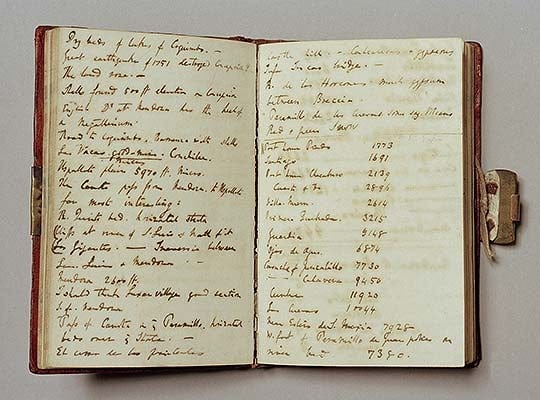
This is Darwin, meticulously documenting his voyages. If he had one super power, I would argue, it was his powers of observation. And the thing with artificial intelligence is that when used well it is an enormously powerful instrument of observation.
But as all instruments - whether it is a telescope or a musical instrument - it requires practice! And doing so is actually great fun! Share your tricks and tips in the comments!
Thanks for reading,
Nicklas
Fantastic - short, practical and powerful! Like it!